Notifications aren't arriving
Fix missing push, email, or SMS alerts.
Go to Settings → Notifications and confirm the channel you expect, In-App, Push, Email, or SMS, is turned on for that event.
For push notifications, check your browser or device's own notification permission for DropHaul under the Browser section on that same page, or in your device's system settings.
For email, check your spam or junk folder.
Confirm your role's default hasn't been overridden by mistake. Reset the setting for that event if it looks wrong.
What you'll see
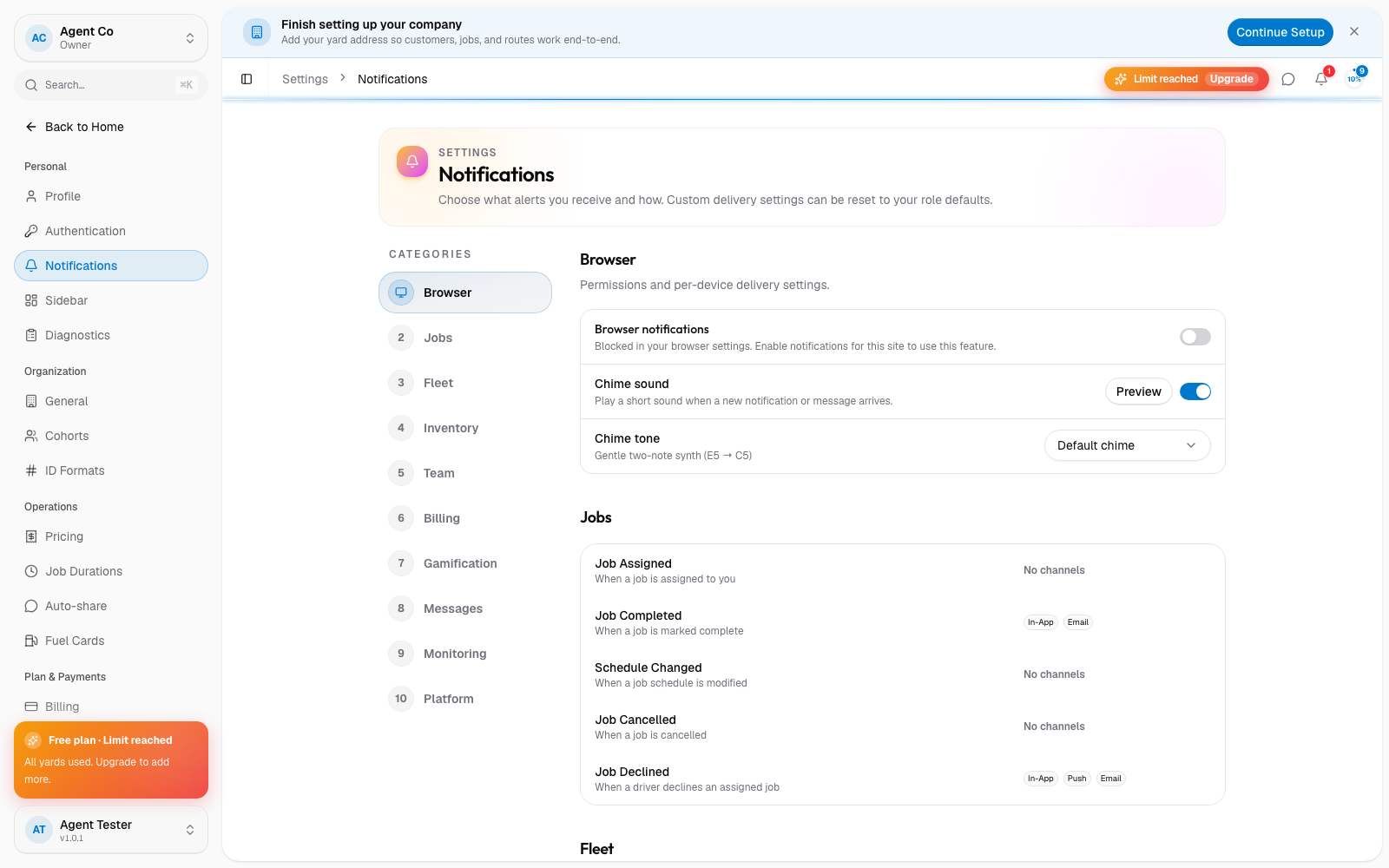
Once the channel is on and permissions are granted, new alerts for that event arrive through every channel you enabled for it.
If something's not right
- The toggle is on but nothing arrives: the browser or device permission is the most common cause. Recheck it there, not only in DropHaul.
- Email notifications go to spam every time: mark one as not spam in your email client so future ones land in your inbox.
- Still nothing after checking all of the above: see Contact support.