Create an invoice
Bill a customer for one or more completed jobs.
Go to Invoices in the sidebar, then select New Invoice.
Pick the Customer.
Select any of that customer's completed jobs you want to bill. Jobs already on another invoice don't show up here.
Review or add line items.
Set the Due date.
Select Create invoice.
What you'll see
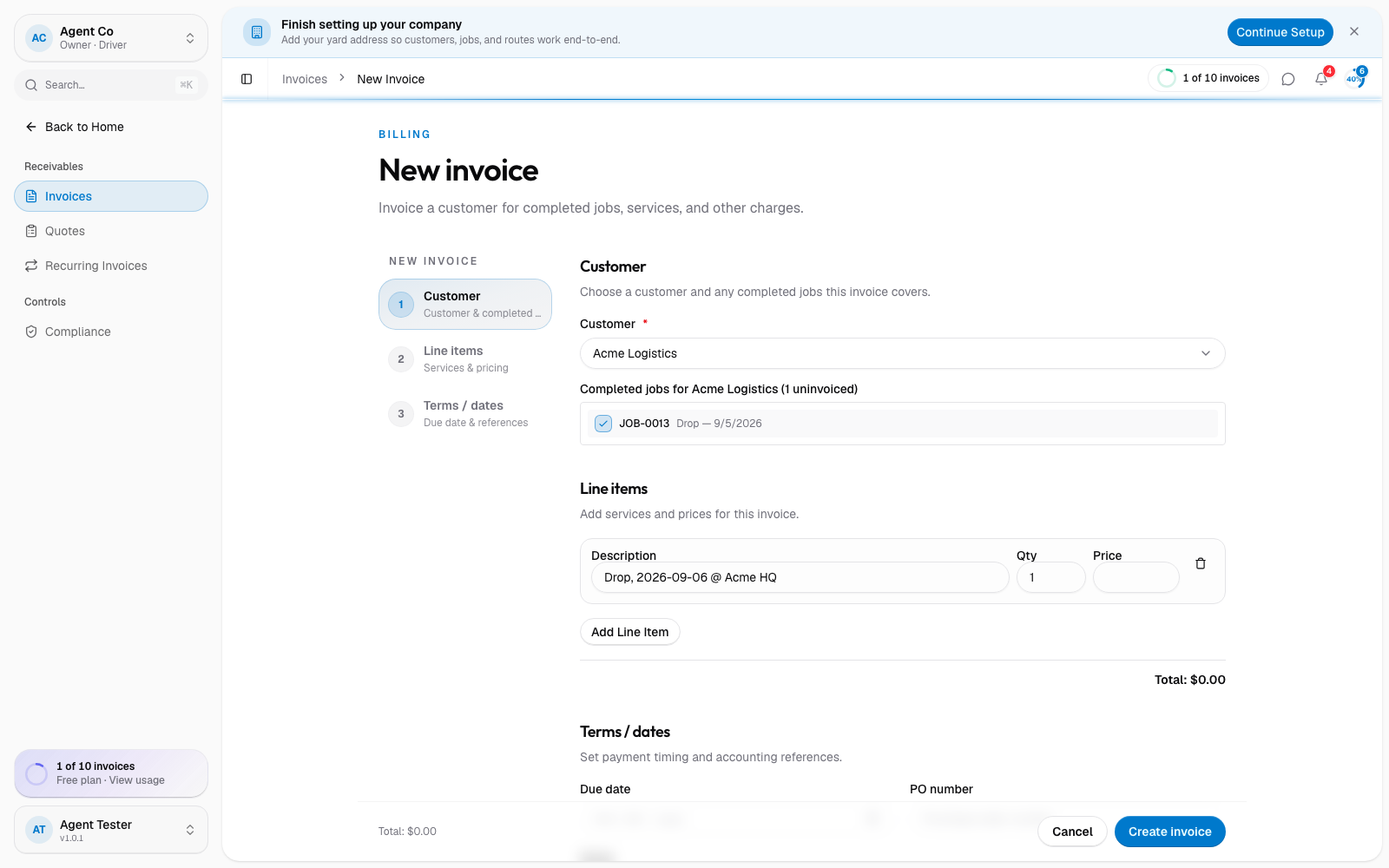
The invoice opens as a draft. It stays editable, and nothing goes to the customer, until you send it.
If something's not right
- A completed job isn't showing up to select: check it isn't already on another invoice; DropHaul only lists jobs that haven't been billed yet.
- Create invoice is disabled: pick a customer and select at least one completed job. Line items alone aren't enough; DropHaul always ties an invoice to a job.