What customers receive
What a text or email from DropHaul looks like to your customer.
A customer's text or email from DropHaul is short and includes a link back to the conversation, so they can read and reply without an account.
- A text reads like "Your company name: your message" followed by a link to the conversation. The message part truncates at 120 characters, so a long message gets cut off before the link.
- An email includes your message and a link to reply.
Both links open a page scoped to that one conversation. The customer doesn't see any other conversations, invoices, or jobs from that link.
What you'll see
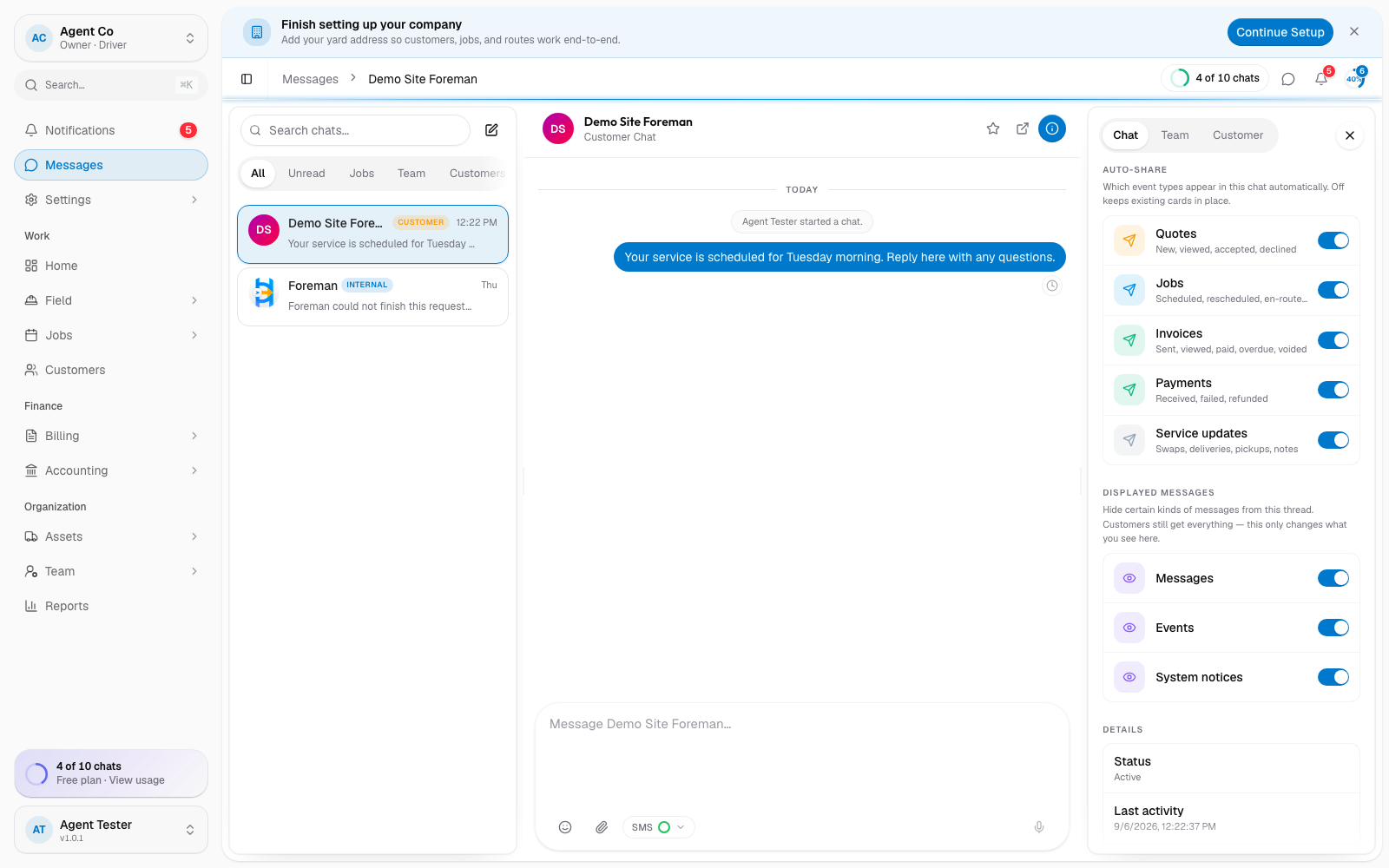
If a customer replies to a text or clicks reply on the email link, their reply comes back into the same conversation in your Messages inbox, so you never miss it because it went to a personal phone or inbox.
You choose which event types auto-share into a chat, from chat info > Auto-share. Options include quotes, jobs, invoices, service updates, and payments. The customer's page is read and reply only; they cannot turn these on or off themselves.
If a customer asks to stop receiving texts or emails, see Stop messaging a specific customer for the toggle you control.
If something's not right
- Customer says they never got a text or email: check the message's delivery status first.
- Customer's reply isn't showing up: check that they replied from the same link DropHaul sent; a reply from a different address may not be matched.