Getting started
Roles explained
What each DropHaul role can see and do.
Every person on your team has one or more roles: Owner, Admin, Dispatcher, Driver, or Technician. A role controls what they can see and do in DropHaul. Broadly:
- Owner and Admin see and manage everything day to day. Only billing and deleting the company are Owner-only.
- Dispatcher schedules jobs and manages routes, with no access to billing, team management, or company settings.
- Driver only sees their own assigned jobs and routes, and can mark a job complete or log a unit service.
- Technician works on fleet assets and work orders, with no access to jobs, dispatch, customers, or billing.
A person can hold more than one role at once, for example a dispatcher who also drives.
For the full breakdown of what each role can do, see Roles and permissions.
What you'll see
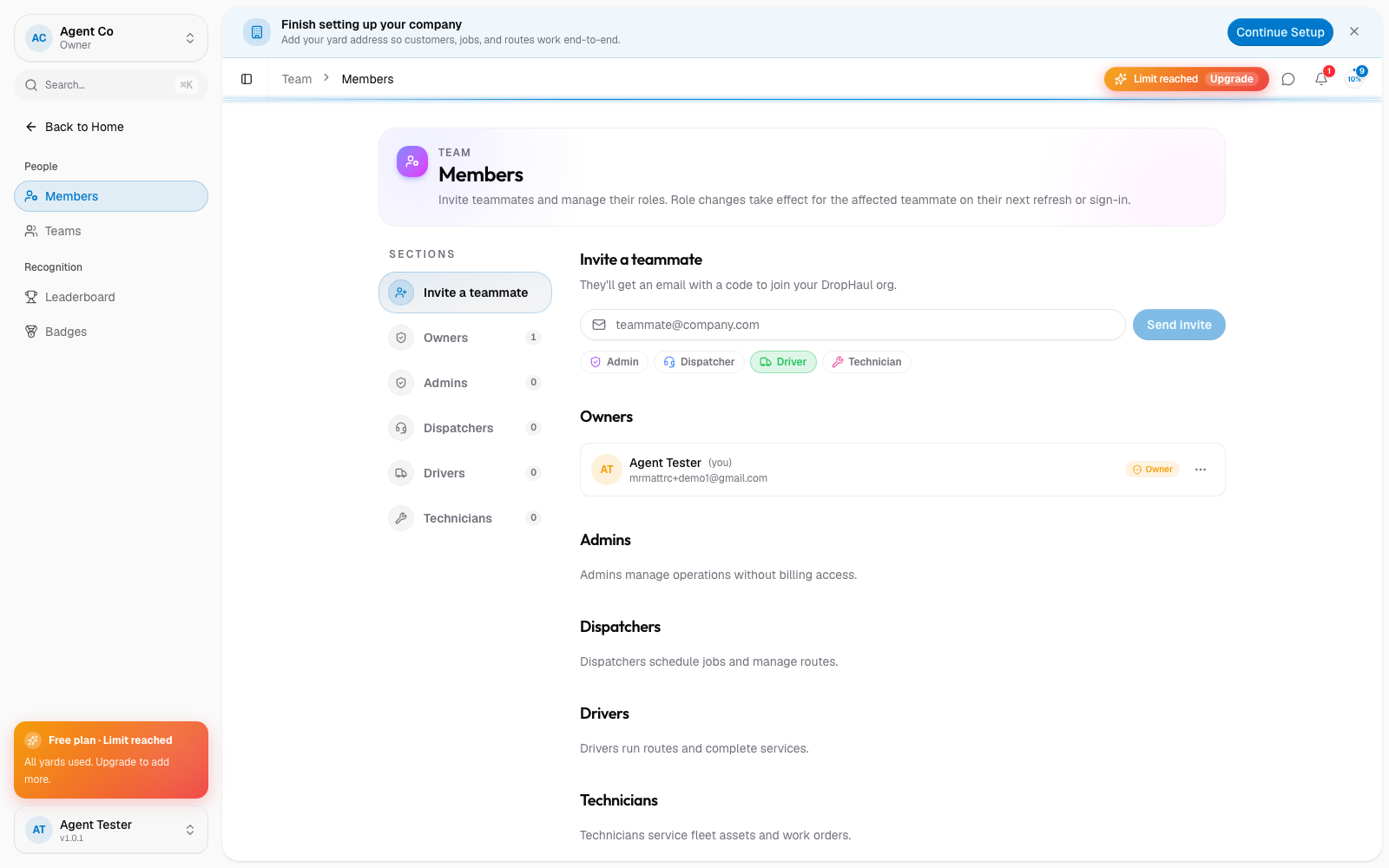
Roles show up next to each person in Team → Members, and next to your own name in the company switcher at the top of the sidebar. Someone with more than one role sees all of them listed together, separated by a dot, for example "Dispatcher · Driver".
If something's not right
- Someone has the wrong role: an Owner or Admin can change it from Team → Members. See Invite a teammate for the walkthrough.
- Can't see an action you expect: check with an Owner or Admin whether your role includes it. See Roles and permissions for the full breakdown.