Connect GPS and telematics
Link Samsara, Motive, or Geotab for live vehicle location, diagnostics, and compliance data.
There's no separate telematics page. GPS and ELD providers connect from Settings → Integrations, under the Telematics category.
In the driver or web app, go to Settings → Integrations, then open the Telematics category.
Choose your provider: Samsara, Motive, Geotab, or Verizon Connect.
Enter your provider's API key to connect.
What you'll see
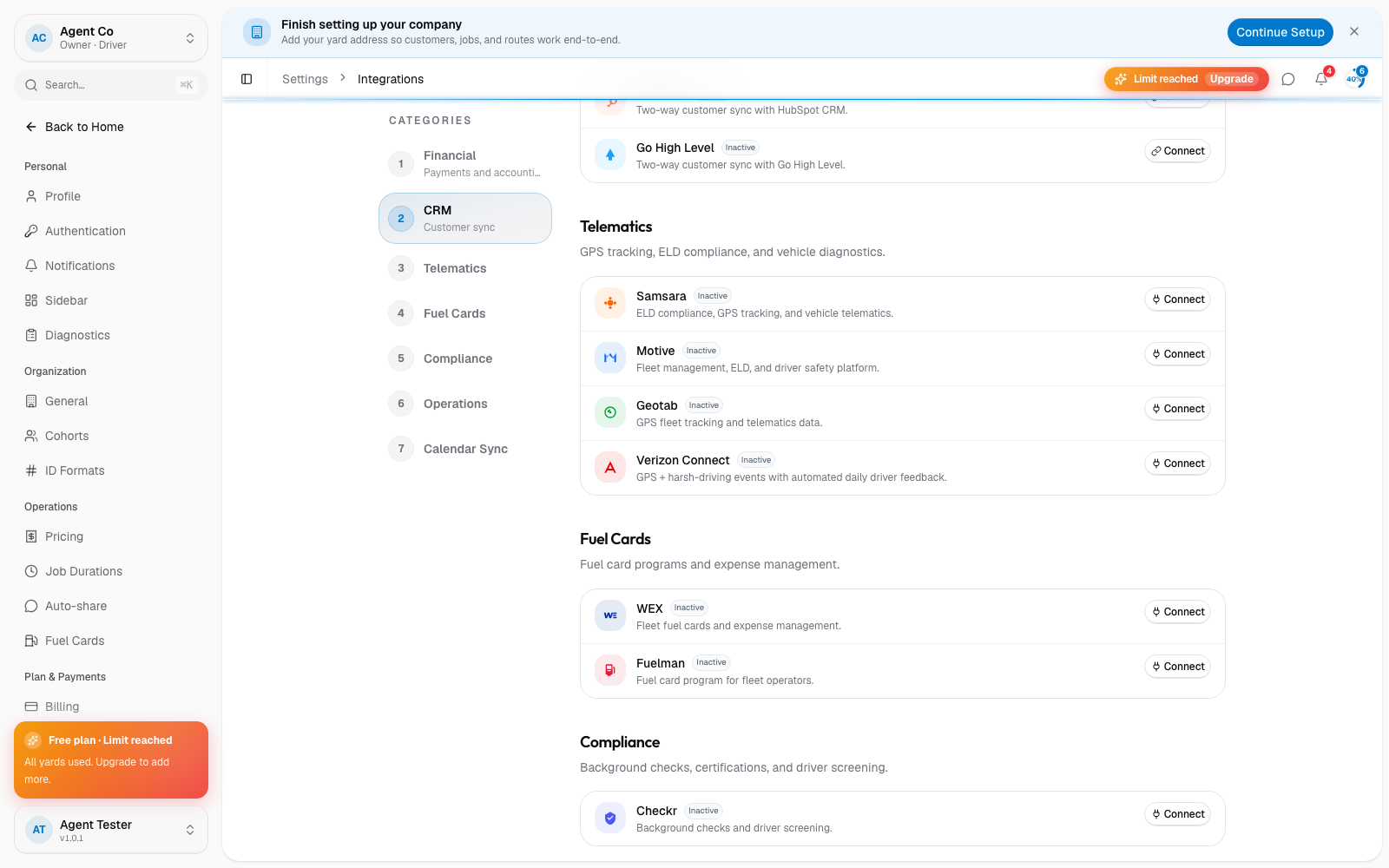
Once connected, vehicle data syncs automatically, roughly every 15 minutes. Samsara adds GPS tracking (positions update every few minutes), vehicle diagnostics (odometer, fuel level, engine hours, fault codes), and HOS/ELD compliance data. The Fleet section of the driver app shows units, trucks, and trailers together with a link back to this integrations screen.
If something's not right
- No location data showing: check the connection status under Settings → Integrations → Telematics. A red or error status means the API key needs to be reconnected.
- Data looks stale: telematics data syncs on its own schedule (about every 15 minutes), it isn't instant.